

eCommerce Report Template (Growth)

One-time payment

Instant access

Insights, not graphs

Reusable package

Find why conversion drop
Identify frictions in your funnel in minutes

Spot revenue leaks
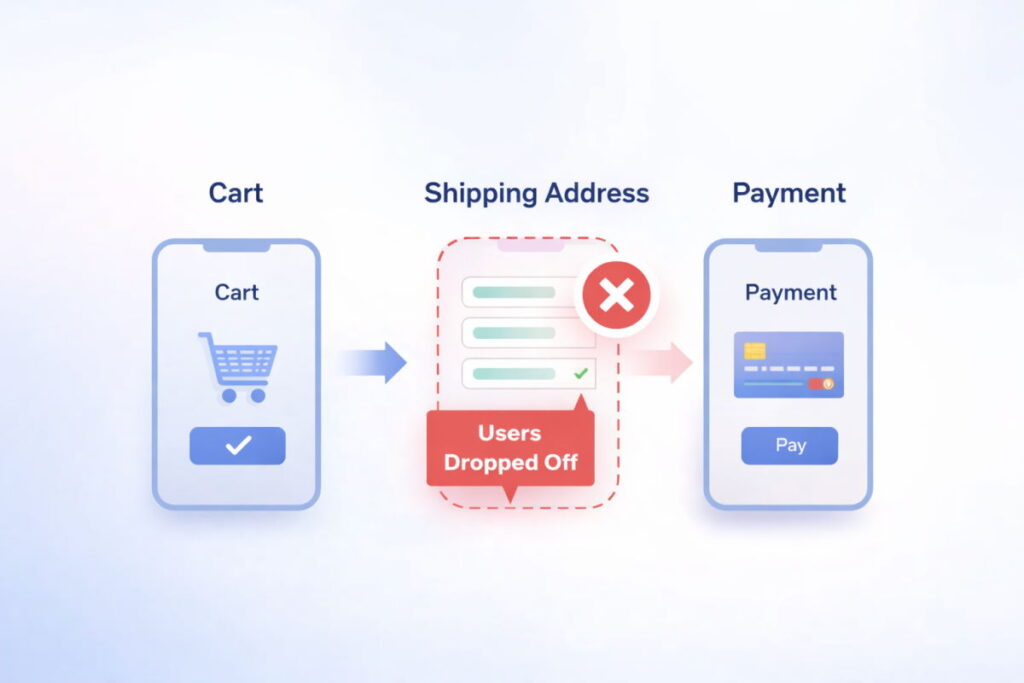
See where you’re losing money, where, and why

See device performance
Identify a leaking step and device of

Get a ready-made dashboard
Connect your data & get instant insights
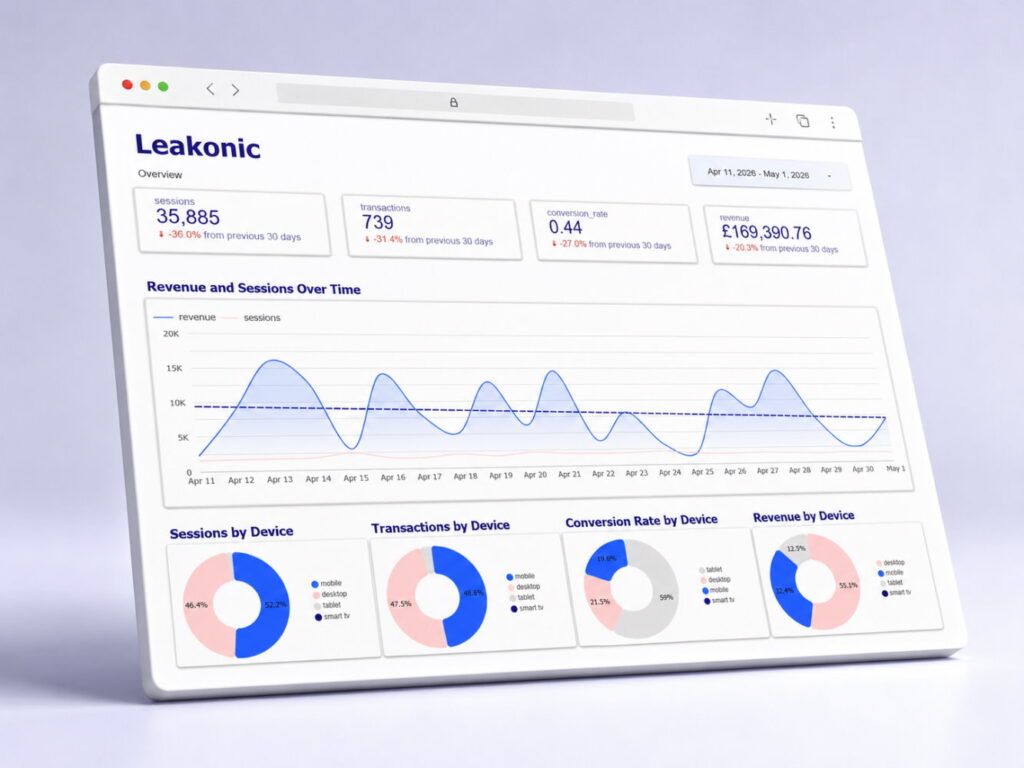
eCommerce performance
Leakonic Medium is an eCommerce report template built for stores that need clearer performance insights across funnels, devices, products, and revenue leaks without manually digging through GA4 and Looker. It helps marketing teams identify where users drop off, which products or categories lose potential revenue, and what issues should be prioritised to improve performance.

No coding needed

Get insights, not numbers

Compare device funnel performance
You will get:
- Google Data Studio (Looker Studio) dashboard report template
- Google BigQuery SQL script
- Step-by-step setup guide and documentation
You must have:
- Google Analytics 4 with eCommerce data
- Active BigQuery project with GA4 export enabled
- Google Data Studio (Looker Studio) free account

Perfect for:
Small eCommerce stores – Sites with GA4 data connected to BigQuery – Owners and marketers who need quick data analysis
Deliverables
The package includes:
- Overview
- Revenue leaks and issues
- Purchase funnel analysis
- Conversion rate by landing pages
- Product analysis
- Funnel analysis by device
Requirements
Free tools and quicks setup.

Google Analytics 4
Ensure you have the enhanced eCommerce analytics configured with event tracking, and connected to BigQuery.

Google BigQuery
Make sure you have a created BigQuery project with a GA4 dataset. Don’t forget to replace default project and dataset names.

Google Data Studio
Create a free Google Data Studio account to use the dashboard. You can do it after the purchase. No configuration required.

5-minute setup
You can run the script and connect your data to the dashboard on your own. No coding required. Or we can do it for you.
Product & category analysis
Product and category analysis helps you spot products and categories that attract strong interest but fail to turn that demand into sales. It highlights high-view, low-purchase products, weak category conversion, and top sellers with hidden revenue leakage, so you can focus on the products with the biggest optimization potential.
Product interest
Users are highly interested


128K
Views

96K
Views

112K
Views
→

Number of Sales
Sales are much lower than interest

320
Sales
210
Sales
180
Sales
→
Insights
Meaningful insights to take action

High views, few sales
Big interest, but sales aren’t keeping up

Categories with low conversion
Specific categories convert poorly

Top sellers with hidden revenue leakage
Top products may still be losing revenue
How to set up the dashboard
Set up the eCommerce dashboard template in four easy steps without coding and graph or table configuration.
1
→
Collect data
Ensure GA4 events and BigQuery export are set up.
2
→
Run analysis
Copy the provided SQL script and run it in BigQuery.
3
→
Copy report
Open the Google Data Studio (Looker) template and copy it.
4
Connect data
Connect to your BigQuery and explore insights.

Not ideal for:
Large online stores that need a fully custom BI system or businesses that want attribution modeling included.
FAQ
In case you still have questions to ask.
The Medium package includes a ready-to-use ecommerce analytics setup with SQL transformations and Looker Studio report pages for funnel analysis, device-level revenue leaks, product issues, landing page performance, and actionable signals. It is designed to show not only what happened, but where your store may be losing revenue and which issues should be reviewed first.
The Starter package gives a general overview of ecommerce performance, including landing pages, devices, funnel drop-offs, and basic revenue leaks. The Medium package goes deeper by showing funnel problems by device, identifying product and category-level conversion issues, and generating more detailed signals with recommended actions.
It includes documentation, a detailed instruction with screenshots, an SQL script, and a link to a pre-built dashboard. If you select the version with installation, we help you connect the dashboard to your GA4 BigQuery export and Looker Studio account.
You need access to GA4 BigQuery export and the ability to run a prepared SQL script in BigQuery. Once the tables are created, the Looker Studio report can be connected to the generated dataset and used as a visual dashboard without manually writing queries.
It can help detect mobile or desktop funnel leaks, checkout drop-off points, products with many views but few add-to-carts, products with many cart additions but few purchases, weak product categories, strong sellers with hidden revenue leakage, and landing pages that receive traffic but generate weak revenue.
No. The Medium package uses GA4 data, but turns it into a clearer ecommerce report template focused on business issues, not just raw metrics. GA4 shows events and reports; this package organises that data into funnel, product, device, and revenue leak views that are easier to act on.

Start finding revenue leaks today
No widget configuration. No coding needed. No subscriptions.

Secure checkout
Related Dashboards
-
eCommerce Analytics Dashboard Template (Starter)
Price range: 79,00 € through 129,00 € -
eCommerce Data Insights Template (Scale)
Price range: 249,00 € through 299,00 €